
Overview
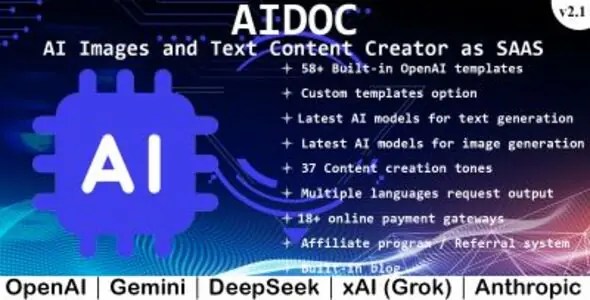
AIdoc is a SaaS platform that allows your subscribers to use OpenAI, Gemini, DeepSeek, xAI (Grok), Anthropic Artificial Intelligence technology to generate unique text content as well as images. Text / Images generated are unique and plagiarism-free and can be generated in multiple languages. A powerful admin panel in AIdoc gives you a unique view of all the activities in the app. This app comes with unlimited AI Models and 58+ AI templates. You can create detailed subscription and top up plans with all the features and specifications you want. Start making an income and earn from this simple SAAS script.

This app can:
AI model vendors
Demo Details
Admin
Username – admin
Password – adminadmin
User/Subscriber
Username – user
Password – useruser
Homepage – https://demos.gpt.co.ke/aidoc
OpenAI templates
Available content tones
Document export options
You can::
Payment gateways
Features
Built on
See also
EmbedAI - Integrate AI Chat On Any Website
What's new
v2.1 (17/04/2025)
1. Added Grok 2 Image for image generation. 2. General bug fixes and UI improvements.
v2.0 (21/03/2025)
1. Added Gemini for text and image generation. 2. Added DeepSeek for text generation. 3. Added xAI (Grok) for text generation. 4. Added Anthropic (Claude) for text generation. 5. Added Gemini Imagen for image generation.
v1.5 (19/03/2024)
1. Added DALL.E.2 model for image generation. 2. Added DALL.E.3 model for image generation which comes with vivid and natural styles. 3. Added 1024x1024, 1792x1024 and 1024x1792 image options for dall-e-3 model. 4. Added option to select image generation models based on package. 5. Added content generation use cases. 6. Homepage improvements. 7. General bug fixes and UI improvements.
v1.2 (10/07/2023)
1. Introducing DALL.E for AI images generation. 2. Added ability to add images to packages. 3. Added ability to top up images on existing subscriptions. 4. Added DALL.E OpenAI model. 5. Added images generation statistics on dashboard.
v1.1 (16/06/2023)
1. Introducing blog with posts categories. 2. Update on package features. 3. Added gpt-3.5-turbo-16k, gpt-3.5-turbo-0613, gpt-3.5-turbo-16k-0613, gpt-4-0613, gpt-4-32k-0613 OpenAI models. 4. Added popular templates in homepage footer.
v1.0 (07/06/2023)
1. First release.





Requirements
Instructions
Upload the files to your hosting folder and navigate to your base url - (https://yourdomain.com/app/install).
Requirements
Make sure all the system requirements are met in order to proceed with installation.
Database Setup
Populate the fields according to your database and Click "Install & Proceed to Company Profile".
If any errors found while connecting you will be notified otherwise you will proceed to complete your profile
Company Profile
Fill all the required details and then "Save & Proceed to your Profile"
The currency you select will be the base currency. It is important to be sure about your choice. Default currency can be changed later but will affect the values of your items, which means you will need to update the items value too
Your Profile
Fill out every field and "Complete Installation".
Complete
After successful installation you need to:
Login using the your email and password used during installation
That's it.