
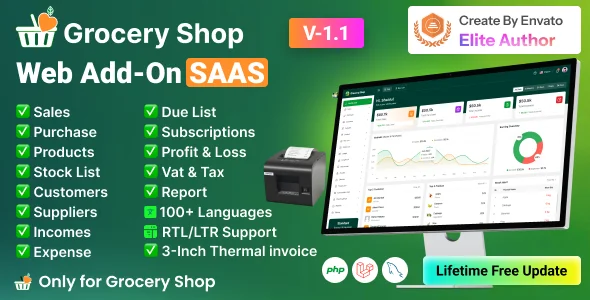
Grocery Shop – Food & Grocery Selling Flutter SAAS App is a cutting-edge Point of Sale (POS) solution delivered as a Software as a Service (SaaS) application. Developed using the Flutter (App) and Laravel (Admin Panel) frameworks for a seamless cross-platform experience, it integrates effortlessly with existing POS systems to provide a robust and scalable backend.
Grocery Shop works with Bluetooth POS printers and features a subscription system. The app boasts stunning screens covering the Mobile POS Inventory app. Additionally, it includes functionalities for managing products, sales, purchases, parties, loss/profit, stock, ledger, sales lists, purchase lists, due lists, reports, and expenses.
Demo Url: https://grocery.acnoo.com/
Admin Url: https://grocery.acnoo.com/login
Super Admin Credentials
[email protected]
superadmin
Admin Credentials
[email protected]
superadmin
Manager Credentials
[email protected] manager
App Demo
User: [email protected]
pass: 123456
Offer: If you buy the extended license you will get free reskin service and full setup Envato suggests buying an extended license for a SaaS project.
Note: You can now print a sale invoice using any bluetooth thermal printer. All new sales invoice will print automatically. You can also print previous sales invoice from sales report.
Key Features:Admin Dashboard:1. Dashboard:
2. Advertising:
3. Shop List:
4. Business Category:
5. Subscription Plans:
6. Staff Management:
7. Reports:
8. Messages:
9. CMS Manage:
10. Roles & Permissions:
11. Settings:
App1. Product Catalog:
2. Sales Processing:
3. Parties:
4. Sales & Purchase list:
5. Sales Edit:
6. Reports:
7. Loss/Profit:
8. Stock:
9. Inventory Management:
10. User-Role:
11. Subscription Plan:
12. Multi-User Access:
13. User-Friendly Interface:
Benefits of POS PROpro
Grow your business effortlessly with a scalable solution that adapts to your needs.
Rely on a robust and secure Laravel backend for data integrity and reliability.
SaaS model ensures affordability with no upfront infrastructure costs.
Make informed decisions with real-time analytics accessible to super admins.
Streamline your business operations, from inventory management to sales processing, for maximum efficiency.
Super Admin capabilities provide centralized control over your entire business network.
POSpro – POS Inventory Software App(Flutter)+Super Admin(Laravel) is not just a POS system; it’s a comprehensive solution that empowers super admins and admins alike to streamline operations, enhance efficiency, and drive business growth.
Application Features:
Flutter and Android Studio Setup Guide
Follow these steps to set up your development environment for Flutter:
Step 1: Install Flutter
Download and install Flutter by following the official instructions:
Step 2: Install Android Studio
Download and install Android Studio from the official website:
Step 3: Set Up Android Studio
Step 4: Configure Flutter in Android Studio
Step 5: Set Up Your Device
Once you have completed these steps, you are ready to start developing with Flutter and Android Studio.
Version: 3.0 Update 07/09/2025 Added Batch-wise Stock Management. Product Label Printing Functionality Updated. Added Bulk Purchase Feature. Added Filter Option on Income & Expense Reports. Product Settings added for products input options. Updated Sales Module to Support Batch-wise Sales. Improved Purchase Module UI and Logic. Enhanced Product List & Product Details View. Updated Stock List, Expiry List, and Loss/Profit Calculation. Product Model Added. Different Filter updated.
App Update ======== 1. Reports Design & Filter Updates 2. Sales Report 3. Purchase Report 4. Sales Return Report 5. List Design & Filter Updates 6. Sales List 7. Purchase List 8. Sales Return List 9. Loss/Profit Report 10. UI & Invoice Updates 11. Sales Invoice 12. Purchase Invoice 13. Due Invoice 14. Product Cart New Features: 15. Product settings added. 16. Support for product variations 17. Print label functionality 18. Dynamic subscription features 19. Payment type management 20. Product model field added 21. Sale return list 22. Expired product tracking 23. Bulk product upload 24. Low stock List Other Enhancements 25. Language Translation – Translate all missing language strings. 26. Formatting – Add comma format in all amount sections 27. Custom print options 28. Multiple payment types
Version: 2.8 Update 05/08/2025 FAQs option added for app Tutorials option added for app Sidebar position fixed after reloading the page System ready for web add-on for shop/business panel Bulk upload API added Dashboard filter API updated Flutter version update 3.3 Code optimized Version: 2.7 Update 16/07/2025 Flutter version update 3.32.6 Code optimized Version: 2.6 Update 05/07/2025 Flutter version update 3.32.5 Code optimized Version: 2.5 Update 18/06/2025 Flutter version update 3.32.4 Code optimized Version: 2.4 Update 06/04/2025 Razorpay payment issue fixed. Fixed some minor issues for other payment gateways. Optimized some codes. Version: 2.3 Update 06/04/2025 Razorpay payment issue fixed. Fixed some minor issues for other payment gateways. Optimized some codes. Version: 2.2 Update 13/03/2025 Banner Api Issue fixed. Update Advertise Seeder shop edit require remove Update Plan Seeder demo features remove from Plan section Also fixed few design issues Version: 2.1 Update 20/02/2025 App Update ========= 1. Added dynamic VAT/GST in the sales section. 2. Implemented sales return functionality along with a sales return report. 3. Included GST/VAT number in profiles and invoices. 4. Fixed various design issues. 5. Resolved missing currency display on certain screens. 6. Refactored code for improved efficiency and performance. 7. Upgraded to Flutter 3.29 for enhanced stability and performance. 8. Resolved various design issues. 9. Fixed missing currency issue on some screens. 10. Refactored code and improved overall performance. Admin Update =========== 1. Sales return API added. 2. GST/VAT API added. 3. Added dynamic VAT/GST in the sales section.
Version: 2.0 Update 05/02/2025 1. Landing pages added using module. 2. Fixed some design issues. 3. Fixed some known issues. 4. Fixed payment gateways bugs. 5. Tap Payment gateway added. 6. Notes section added for payments gateways. 7. Payment gateway enable and disable issues fixed. 8. Installer updated. 9. 150+ Currencies Added. 10. Subscription payment invoice added. Version: 1.1 Update 30/12/2024 1. Language issue fixed. 2. Optimize some codes. 3. Some string wrapped for translation. Initial ReleaseVersion 1.0.0 Initial Release
Published:
Dec 03, 2025 12:54 PM
Version:
v1.1
Category:
High Resolution:
Yes