
WhatsApp Chat

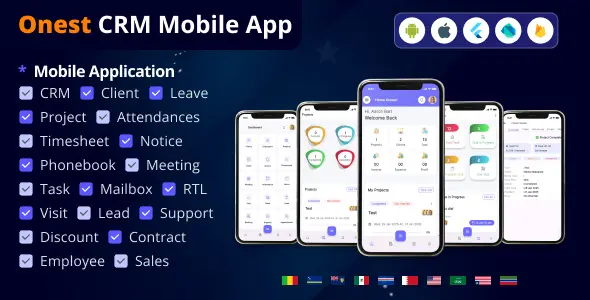
Onest CRM - Multiple Platform CRM Mobile Application

Onest CRM - Multiple Platform CRM Mobile Application


Onest CRM with Advance HRM System (V1.5)

Onest CRM - Multiple Platform CRM Mobile Application - 1


Onest CRM - Multiple Platform CRM Mobile Application - 2Onest CRM - Multiple Platform CRM Mobile Application - 3GoogleOnest CRM - Multiple Platform CRM Mobile Application - 4

Onest CRM - Multiple Platform CRM Mobile Application - 5 Google Onest CRM - Multiple Platform CRM Mobile Application - 6 Onest CRM - Multiple Platform CRM Mobile Application - 7

Onest CRM - Multiple Platform CRM Mobile Application - 8 Onest CRM - Multiple Platform CRM Mobile Application - 9
Onest CRM - Multiple Platform CRM Mobile Application - 10

Onest CRM - Multiple Platform CRM Mobile Application - 11

SAAS login

Link: https://h0ne5t.com/
Username : Super Admin
User-email: [email protected]
Password : 12345678
 

Admin login/ Mobile App Login

Link: https://central.h0ne5t.com/ /
Username : Admin
User-email: [email protected]
Password : 12345678
 

Client login

Link: https://central.h0ne5t.com/
Username : Client
User-email: [email protected]
Password : 12345678
 

Employee

Link: https://central.h0ne5t.com/
Username : Employee
User-email: [email protected]
Password : 12345678
 

Google

Changelogs12 April 2024

  • Appointment List Features Updated:
    • Dynamic Appointment List View: Enhanced module to display appointments in an interactive list layout.
    • Multiple File Upload Support: Users can upload and manage several image files per appointment.
    • Visual Record Attachment: Add photos or documents within appointment details for better context.
  • Appointment Location Navigation via Google Maps:
    • Turn-by-Turn Directions: Users can get navigation to appointment locations directly in Google Maps.
    • Real-Time Location Guidance: Ensure accurate routes from current location to appointment destination.

15 March 2024

  • Event List in Calendar:
    • Color-Coded Events: Events are displayed in different colors based on category, type, or status.
    • Improved Event Visibility: Easily distinguish and manage multiple events within the calendar view.
  • Add Event from Calendar with Client Selection:
    • Direct Calendar Interaction: Add events by selecting specific dates from the calendar.
    • Client Association: Easily link events with clients during creation for streamlined scheduling.

02 March 2024

  • Home Page Performance and UX Enhancement:
    • Optimized Load Time: Improved response speed for a faster user experience.
    • Better Layout Design: Streamlined navigation for more intuitive interaction.
  • Google Maps Integration for Meeting Location & Directions:
    • Location Display: View meeting locations directly on Google Maps.
    • Turn-by-Turn Navigation: Get real-time directions from current location to the meeting point.

About Application

App Version V1.5

Released at 12th January 2023

License Option
Free Free
$0.55 $4.29
Quality checked by CodesMarket
Full Documentation
Future updates
Author Support
cypher

Member since Sep 2025

From Unknown Location
Exclusive Author
Author level 2
Trend Master
Featured Item
View Portfolio

cypher's items

Similar items

We use cookies to personalize your experience. By continuing to visit this website you agree to our use of cookies

More