⚠️ NOTE: This is not a standalone theme. The module requires the Perfex CRM application to be installed. Compatible with Perfex CRM version 3.0.0 and higher.
Premium Dark Theme for Perfex CRM
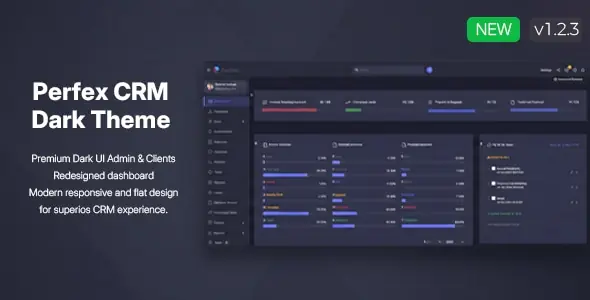
Give your Perfex CRM a stunning, futuristic makeover with the Premium Dark Theme. This module provides a complete visual overhaul for both the Admin Area and Customers Area, replacing the standard interface with a sleek, high-contrast, and professional dark UI. Designed for modern businesses — it improves readability, reduces eye strain, and delivers a smooth flat design that makes your CRM stand out.
New in 1.2.3: Staff can switch between dark mode and the default Perfex light theme from a sun/moon icon in the admin header. The choice is saved in browser localStorage on each device. Admins can allow or disable switching and set the default theme under Setup → Settings → Dark Theme.
Key Features
- Admin & client areas — Full dark styling for staff and customer portals
- Per-staff theme toggle — Switch dark/light from the header (localStorage, per device)
- Admin settings — Enable/disable user switching and set default theme for new sessions
- Rich UI polish — Tickets, tasks, TinyMCE editors, bootstrap-select, DataTables, calendars, and modals styled for dark mode
- Client portal fixes — Navigation, login icons, ticket panels, project tabs, and dropdowns
- One-click install — Standard Perfex module upload, no code changes required
Live Demo
Experience the Dark Theme in action before purchasing. Access our fully interactive online demo below to see how it transforms the Perfex CRM experience.
» VIEW LIVE ONLINE DEMO HERE «
Demo Credentials
Staff / Admin Users:
Client Users:
Documentation & Installation
No coding required. Installation takes only 10–20 seconds and you are ready to use the new Perfex CRM Dark Theme. Full documentation is included inside the ZIP file downloaded from Envato.
Other Modules by i-Dev
Change LogVersion 1.2.3 — Updated 27.06.2026
- Added: Sun/moon toggle in admin header — staff can switch between dark theme and default Perfex light mode
- Added: Theme preference stored in browser localStorage (per device)
- Added: Settings to allow/disable user switching and set default theme for new sessions
- Fixed: Single ticket view — sticky title bar and subject text readable on dark background
- Fixed: Task modal — comment highlights and comment text contrast on dark backgrounds
- Fixed: TinyMCE editors — dark content area on ticket reply and all admin rich-text fields
- Fixed: Ajax-search bootstrap-select (Contact, etc.) — dark dropdown and readable “Start typing to search” hint
- Fixed: Bootstrap-select clear (×) icon visible on dark fields
- Fixed: Ticket reply attachments alignment and padding
- Improved: Removed bounce animation on select dropdown menus
- Improved: Task comment dropzone styled for dark theme
Version 1.2.2 — Updated 22.05.2026
- Client portal: Fixed navigation overlap and horizontal top navbar layout
- Client portal: Fixed login page Font Awesome icons
- Client portal: Dark ticket message/reply panels (no cream/yellow boxes)
- Client portal: Bootstrap-select, datetimepicker, FullCalendar, and dropdown dark styling
- Client portal: Project tabs, stat cards, and projects list filter cards themed for dark mode
- Admin: Task modal, tags autocomplete, datetimepicker, DataTables, TinyMCE, and menu setup improvements
Version 1.2.1 — Updated 20.04.2026
- Admin: Task modal dark styling
- Admin: Tags / jQuery UI autocomplete dark menu
- Admin: Date & time picker (xdsoft) dark theme
- Admin: DataTables and related admin UI polish
Version 1.2.0 — Updated 01.01.2026
- Updated: Compatibility with latest Perfex CRM versions
- Various: CSS improvements, minor bug fixes, improved UI/UX
Version 1.1.8 — Updated 20.11.2021
- Various: Minor CSS fixes, theme improvements, compatibility issue fixed
Version 1.1.7 — Updated 07.04.2021
- Updated: Compatibility with latest Perfex CRM versions
- Updated: Compatibility with Appointly
- Various: CSS improvements, minor bug fixes, improved UI/UX
Version 1.1.6 — Updated 02.08.2021
- Fixed: Search dropdown transparent color
- Fixed: Sticky header in invoice view (client) and table hover color
- Various: CSS/JS fixes and improvements
Version 1.1.5 — Updated 09.24.2020
- Added: CSS compatibility for all modules by i-Dev
- Added: JS and CSS fixes and improvements
- Improved: Various CSS improvements
Version 1.1.4 — Updated 18.06.2019
- Updated: New Gantt support
- Fixed: RTL CSS fixes
- Various: CSS fixes and theme improvements
Version 1.1.3 — Updated 27.10.2019
- Fixed: RTL adjusted to work with theme — admin/client and global modal CSS fixes
Version 1.1.2 — Updated 20.09.2019
- Improved: CSS improvements and fixes
Version 1.1.1 — Updated 31.08.2019
- Improved: Minor CSS improvements and fixes
Version 1.1.0 — Updated 24.08.2019
- New: Added option to enable/disable Customers Area theme support