e Preview Screenshots
Note: This is a module designed for Perfex CRM. It is not a separate script.
Description
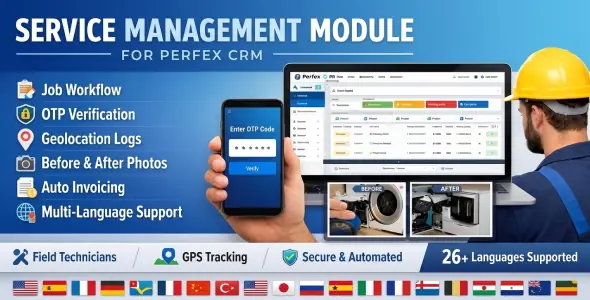
Service Management is a professional Perfex CRM module designed for handling service and repair jobs with field technician assignment, real-time workflow tracking, secure image uploads, geolocation logs, OTP verification, and a dedicated mobile app for technicians.
Important: A ready-to-use Technician Mobile App (APK) is included for demonstration and usage purposes. The mobile application source code is not included
Key Features:
- End-to-End Job Workflow: Track jobs from Pending -> Assigned -> In Progress -> Waiting Parts -> Completed -> Delivered.
- Technician Mobile App (APK): Ready-to-install Android application for field technicians to view assigned jobs, update status, upload images, and manage tasks in real-time with offline sync support.
- OTP Verification: Secure job completion via 6-digit One-Time Password sent to customers via SMS/Email.
- Geolocation Tracking: Capture GPS coordinates for job start and finish events.
- Before/After Photos: Visual proof of work with mandatory or optional image uploads.
- Dynamic Parts Selection: Text-based part entry with inventory autocompletion for fast data entry.
- Auto-Invoicing: Automatically generate Perfex invoices upon job completion.
- Multi-Language Support: Fully localized in 26 languages, including English, Spanish, French, German, Japanese, Chinese, and many more.
- Role-Based Security: OTP codes are masked from field technicians; only authorized management staff can view sensitive codes.
- Admin Management: Administrators can override and perform job actions (start/finish) even if not explicitly assigned.
Requirements:
- Perfex CRM (v3.4.x or higher).
Demo URL and Credentials:
Explore the module with our live demo:
Demo Mobile App (Android APK Download)
The Technician Mobile App is available for direct download and installation:
 Watch Video
Note: This is a direct APK download. You may need to enable “Install from Unknown Sources” on your Android device.
Installation Guide:
- Log in to Perfex CRM as Administrator.
- Go to Setup → Modules.
- Upload the module ZIP file and click Install.
Customer Support
Your satisfaction is our priority! Reach out to us for support, customization, or installation help.
Change Log
Version 1.0.0
- Added Technician Mobile App (Demo APK)
Version 1.0.0
Here are some items I recommend