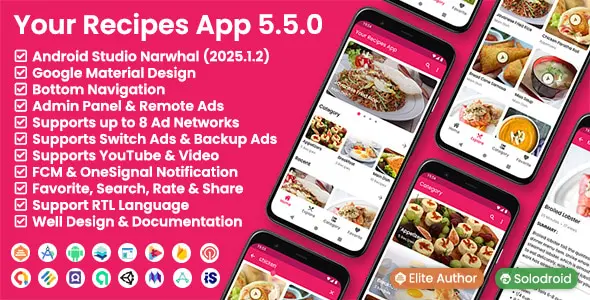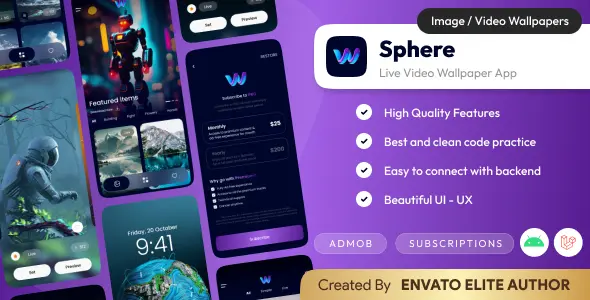

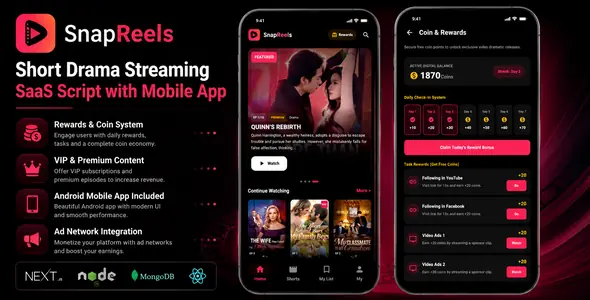
What You’ll Get with Your Purchase
SnapReels is a modern Android application for short drama streaming platforms. The app includes premium episodes, rewards system, coin wallet, AdMob monetization, Google Play Billing support, and seamless integration with the SnapReels backend platform.
Built for creators, startups, and businesses looking to launch their own mobile streaming application with a modern user experience and monetization features.
Live Demo
Explore the live demo of the Android App, Website, and Admin Panel below:
Android App Demo APK:Download Demo APKWebsite Demo:View Live WebsiteAdmin Panel Demo:Access Admin Panel
User App Login
Email: [email protected]
Password: demo123
Admin Login
Username: admin
Password: admin
Security Notice: The credentials “admin/admin” are for demo purposes only. You must configure secure, unique passwords in your production database.
Key Features
Dynamic Admin Control Panel
Multi-Cloud Storage Support
Ads Integration & Mediation
Security & Performance
Requirements
Installation Overview
Included Files
⚠️ Important Cost, Infrastructure, and Service Disclosures
Changelog
V1.1.2 - 07-07-2026
* [Fix] Fixed redirection loop (`ERR_TOO_MANY_REDIRECTS`) on the `/install` page in production builds by forcing dynamic rendering at runtime. * [Fix] Fixed `500 Internal Server Error` on the `/admin/login` page after finishing the installation wizard by implementing lazy MongoDB connection caching, eliminating the need for a manual server restart. * [Fix] Fixed `Application error: a client-side exception has occurred` React crash when navigating the dashboard while Google Translate extension is active. * [Fix] Added a comprehensive list of languages to the admin panel and fixed an issue causing AI Translate to fail for language names containing international characters or parentheses. * [Fix] Fixed an issue where changing the language wouldn't append the corresponding slug to the URL (e.g., `/pt-BR`) by separating the user's cookie preference from the site's global default locale in the routing middleware. * [Fix] Fixed an issue where Google Analytics (GA4) was not tracking visitors or page views by rewriting the analytics tracking script injection to ensure the correct `arguments` object is properly passed to the Google Tag Manager `dataLayer`. * [Feature] Improved Admin User Management by sorting the user list to show the most recently registered users first. * [Feature] Added a detailed "User History" analytics modal in the Admin Panel that allows admins to view and track all coin transactions, rewards, and payments for any user with pagination support. * [Feature] Added a "Welcome Bonus" setting in the Admin Panel (Settings > Authentication) to customize the number of free coins given to new users upon registration. * [UI/UX] Modernized the Admin Dashboard typography by replacing ALL CAPS text with cleaner Title Case, replacing the date range calendar picker with a streamlined preset dropdown, and significantly improving mobile responsiveness across tables and widgets. * [Fix] Fixed an issue where the SEO Settings and Authentication Settings (Welcome Bonus) were not saving in the Admin Panel by adding their respective keys to the backend's secure settings allowlist. * [UI/UX] Fixed the UI layout for the Featured and Premium toggle switches in the Series Add/Edit form, resolving layout cramping and truncated labels on smaller screens. * [Feature] Added an optional "Featured Image" upload field (16:9 aspect ratio, scaled to 1920px) for Drama Series, providing a dedicated banner for sliders that automatically falls back to the standard Poster image if left empty. * [Mobile App Update] Updated the Kotlin Android App to dynamically load the Google Sign-in Web Client ID from `google-services.json` rather than using a hardcoded string, making authentication setup plug-and-play for buyers. * [UI/UX] Redesigned the main Website Hero Slider to be an edge-to-edge cinematic banner with an optimized viewport height (vh), allowing content below it to peek into view. Moved pagination dots inside the slider to save vertical space. * [UI/UX] Updated the Android App Featured Slider to support the new cinematic 16:9 aspect ratio, mirroring the premium look and feel of the website's hero section. * [Fix] Added a bypass for Dailymotion video URLs to render as native HTML5 iframes automatically, resolving playback issues and the "Video Unavailable" error caused by ReactPlayer SDK timeouts. * [Mobile App Update] Fixed the Android App failing to load "Embed Code" video sources by implementing an embedded WebView fallback specifically for iframe HTML strings. * [Fix] Fixed the Admin Panel "Edit Episode" modal incorrectly reverting the Source Type from "Embed Code" to "Direct Link" for embed codes wrapped in tags. * [Fix] Fixed the Website Video Player returning a "Retrying Connection..." error for ` embed codes by updating the global embed detection logic. * [Fix] Fixed an issue where embedded video iframes would randomly reload or restart from the beginning when the user moved their mouse or triggered UI state changes. * [Fix] Fixed slow video loading times and seek (skip) interruptions for large uploaded MP4 videos by rewriting the local video streaming API route to properly support HTTP 206 Partial Content (Range Requests) via Web ReadableStreams. * [Fix] Fixed embedded videos (e.g., Dailymotion) appearing horizontally with a 16:9 aspect ratio inside the vertical player by forcing Tailwind overrides on inline padding CSS styles. * [Fix] Fixed an issue where the Website only displayed the first Featured Drama in the slider if the interface language was changed to Arabic. * [UI/UX] Added the Drama Title and a localized "Watch Now" overlay button to the Android App Featured Slider, mirroring the premium look and feel of the website. * [UI/UX] Removed the blurred background edge-color from the Android App Featured Slider and Banner Ads to achieve a cleaner, edge-to-edge transparent appearance.
V1.1.1 - 26-06-2026
* Added full integration for bunny.net storage and CDN video streaming. * Added Gemini AI support as a third AI provider for smart content automation. * Redesigned the Website Homepage UI for better engagement and modern layouts. * Major UI/UX redesign for the Android Mobile Application. * Added configuration controls for Facebook Audience Network and AppLovin MAX ads. * Added Multi-Ads Rotation Manager with ratios and priority settings. * Optimized settings database collections for third-party plugins. * Added AES-256-CBC token encryption for local and cloud video streams. * Secured video routes using encrypted tokens instead of raw paths. * Implemented middleware and API guards to block direct video access (403 Forbidden). * Added automatic deletion of files when a Drama Series or Episode is removed. * Added automatic cleanup for old images and videos during updates. * Refactored Likes, Favorites and Share buttons to match Android UI. * Integrated native Web Share API support. * Added dynamic region extraction for cloud storage providers. * Added client-side validation messages in the admin Series form. * Enabled wildcard image domains support in next.config.ts. * Updated documentation. * Added a dedicated Mobile App settings section. * Added Android App configuration panel. * Added API Base URL management. * Added API Access Key generation and management. * Added mobile app version control and force update system. * Added custom update URL configuration. * Added Privacy Policy, Terms of Service and Rate Us links management. * Added Google Play Billing support. * Added enable/disable option for Google Play payments. * Redesigned payment gateway settings. * Added a dedicated Android Rewards System. * Added separate Android Ad Rewards management. * Added Android Daily Check-in reward configuration. * Added Android reward task management panel. * Added AI-powered metadata generator. * Added automatic title, description and SEO metadata generation. * Added automatic tags, categories and URL slug generation. * Added OpenAI support as a second AI provider. * Improved Groq Cloud integration and AI configuration panel. * Added PayPal, Stripe and Razorpay payment logos. * Improved performance, stability and mobile responsiveness.
V1.0.0 - 19-06-2026
* Initial release of SnapReels.
Published:
Jul 09, 2026 12:28 AM
Category:
High Resolution:
NoTags: